
Integrations · Google Ads
Google Ads campaigns, measured against real sales
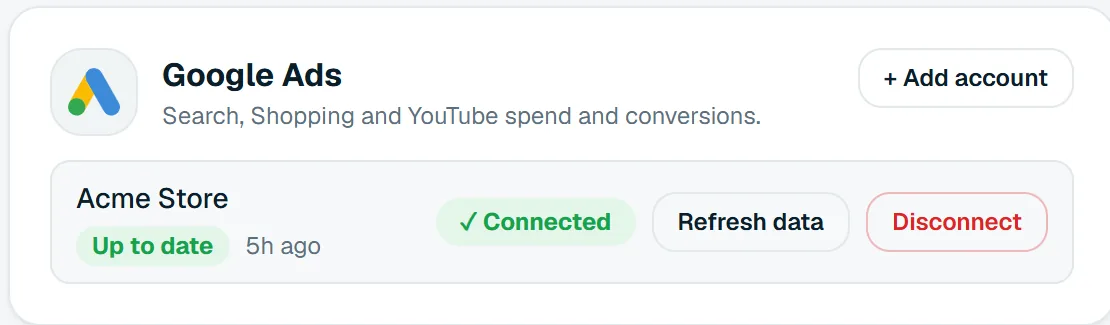
Connect your Google Ads accounts read-only, including every client account under a manager (MCC). Moatrics brings in cost, clicks, conversions and their value by campaign and day, beside Meta and your store.
 Google Ads
 Moatrics
Google Ads · read results only
What Moatrics reads
Campaign results, by day
One row per campaign per day, for every Google Ads account you connect.
| In Moatrics | From Google Ads |
|---|---|
| SpendConverted from micros to your currency's units | metrics.cost_micros |
| Impressions | metrics.impressions |
| Clicks | metrics.clicks |
| PurchasesGoogle Ads' “Conversions” column, rounded to whole ones | metrics.conversions |
| Purchase value | metrics.conversions_value |
| Campaign | campaign.name |
Never touched
- Creating, editing or pausing campaigns
- Keywords, bids and budgets
- Your ads' text and assets
- Audiences and customer lists
- Your customers' personal details
Connecting
Sign in with Google, pick the accounts
- 1
Add account
On a brand's Data sources page, press “+ Add account” on Google Ads.
- 2
Sign in with Google
Use the Google account that has the ads, or the manager account above them, and allow access.
- 3
Tick the accounts
Pick this brand's accounts; clients under a manager are listed with the manager's name. Numbers come in straight away.
In Moatrics
Search and Performance Max beside Meta
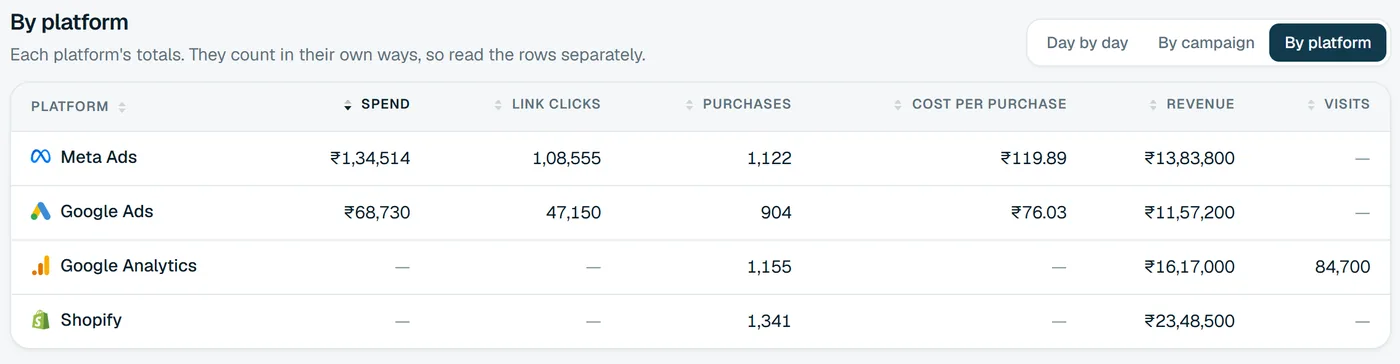
Google and Meta each claim the sales they think they caused. Moatrics shows both side by side and measures the total spend against what your store actually sold.
- Cost and conversions on the Overview, with sales from your store.
- Every Google campaign on All numbers, with CTR, CPC, CPM, CPA and ROAS.
- Alerts when cost per purchase jumps or a campaign spends with no sales.
- Google Ads tabs in your Google Sheets, daily, weekly or monthly.
Good to know
How Moatrics handles Google's numbers
- Numbers refresh every morning, and “Refresh data” fetches the latest whenever you like.
- Google keeps crediting conversions to earlier days; re-reading the last 62 days every morning catches them.
- Google counts every click on the ad as a click, so its click rate isn't directly comparable with Meta's link clicks.
- Amounts come in as Google reports them, without currency conversion, so set the brand's currency to match its accounts.
Questions
About the Google Ads connection
Keep exploring
 Meta AdsFacebook and Instagram campaigns.
 Google Analytics 4Sessions and conversions.
- AgenciesSoonEvery client brand in one organization.
Bring your brands into one dashboard
Moatrics is in early access for brands and agencies. Tell us how many brands you run and which platforms you use, and we'll set you up.