
Product · Teams and roles
Everyone sees the brands they look after
One organization holds all your brands. Owners and team leads see all of them; project managers see only the ones you give them. Invite people in a minute, change their projects with a tick, and see who did what.
Three roles
Pick a role and see what it reaches
The same rules the app enforces. A sample project manager here looks after two of the agency's four brands.
Acme Agency's brands
- ASAcme StoreCan see
- AHAcme HomeHidden
- ABAcme BeautyCan see
- AKAcme KidsHidden
Can
- See and work on only the projects assigned to them
- Connect ad accounts and refresh their data
- Manage spreadsheets and their reports
- Edit those projects' name, currency and logo
Can't
- See projects they haven't been assigned
- Create or delete projects
- See or manage the team
- Change organization settings
Inviting
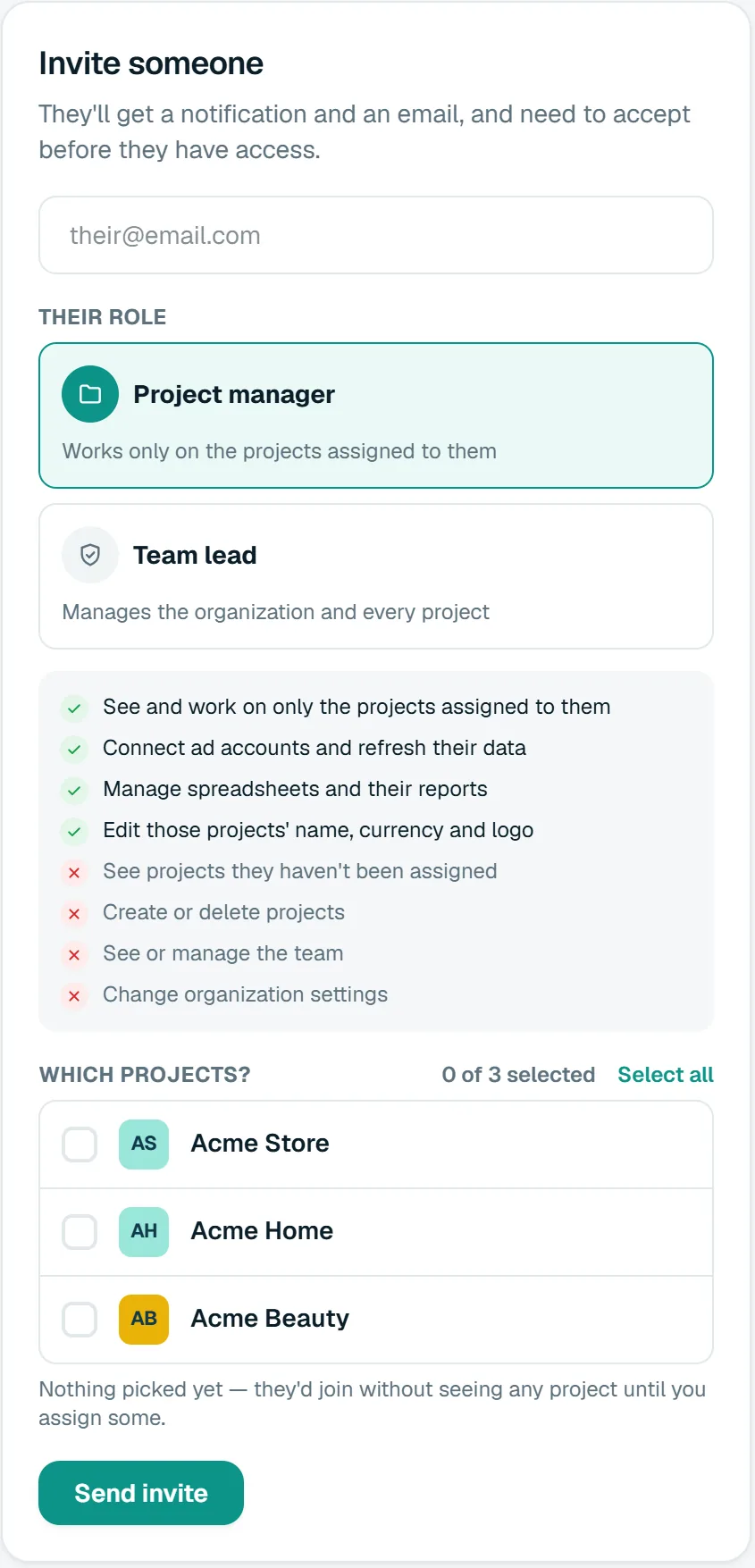
Invite, pick the brands, done
Adding a freelancer for one brand, or a new account manager for three, takes a minute. Change which brands they see later with a tick; no new invite needed.
- Their email and their role.
- For a project manager, tick the brands they should see.
- They get a notification and an email, and join once they accept.
Activity
Who changed what, and when
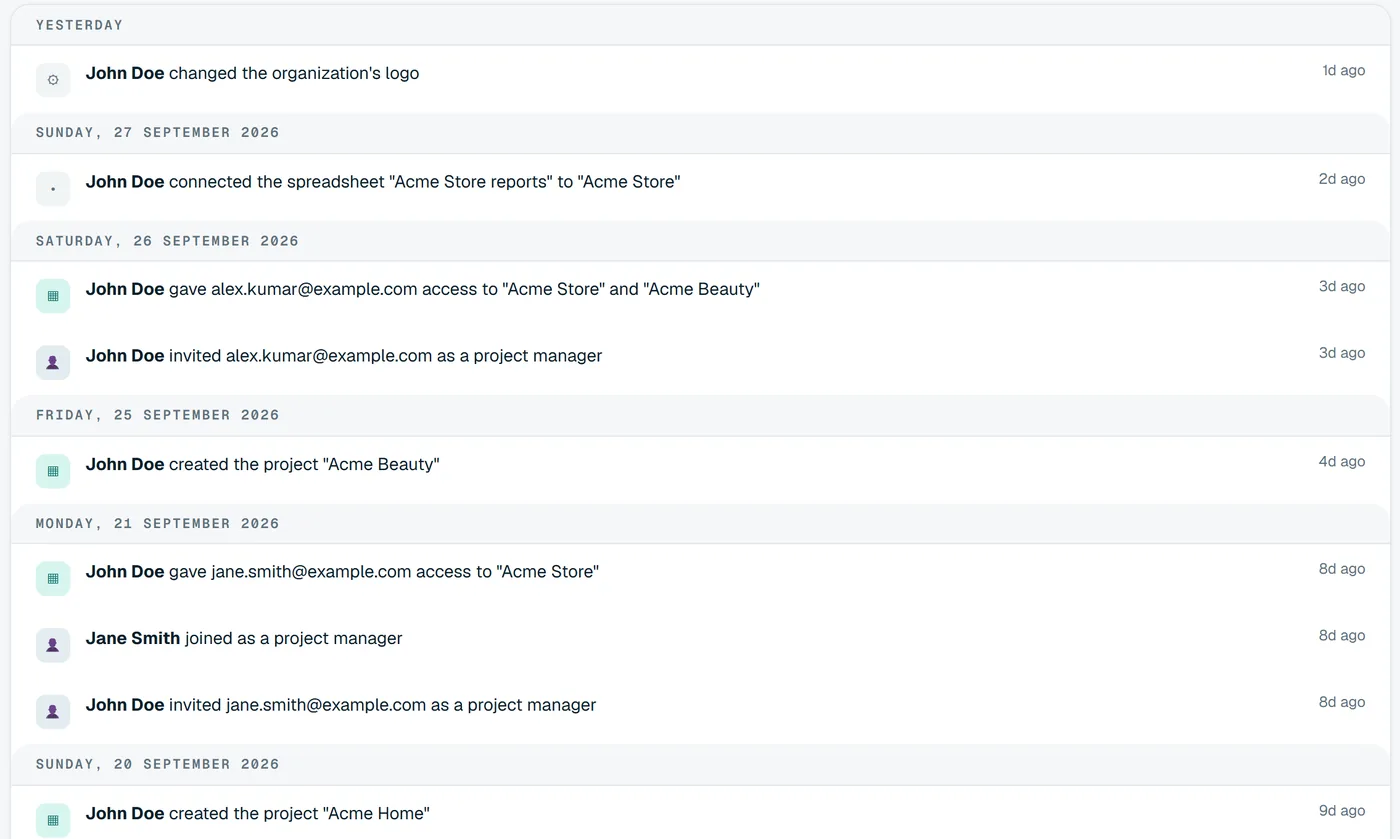
When a client asks why a number moved or who removed an account, the answer is on the Activity page, grouped by day and searchable.
- Invitations, joins, role changes and removals.
- Projects, accounts and spreadsheets added or removed.
- Only the owner and team leads see it.
Questions
About teams and roles
Keep exploring
- AgenciesSoonEvery client brand in one organization.
- Big screenThe month on the office wall.
- OverviewThe last 30 days in one line, with a health score.
Bring your brands into one dashboard
Moatrics is in early access for brands and agencies. Tell us how many brands you run and which platforms you use, and we'll set you up.