
Integrations · Shopify
Measure your ads against what the shop really sold
Ad platforms report the sales they think they caused. Your Shopify store has the real ones. Moatrics reads your orders, read-only, and measures every rupee of Meta and Google spend against them.
 Shopify
 Moatrics
read_orders · read-only
What Moatrics reads
Four facts about each order, nothing else
Added up into orders and revenue per day, on your store's clock.
| In Moatrics | From Shopify |
|---|---|
| The dayIn your store's own timezone | createdAt + shop.ianaTimezone |
| Left out if a test | test |
| Left out if cancelled | cancelledAt |
| RevenueThe order as it stands now, after refunds and edits | currentTotalPriceSet.shopMoney |
Never touched
- Products, prices or inventory
- Customers' names, emails, phones or addresses
- Changing orders, refunds or anything in your store
- Payments or checkout
The honest number
One order, counted once
In this sample, Meta claims 1,122 purchases and Google 904: 2,026 between them. The store took 1,341 orders. Moatrics measures the ads against the 1,341.
- Sales per ₹1 of ads: store revenue divided by Meta and Google spend together.
- Ad cost per order: ad spend divided by real orders, not the platforms' conversions.
- Meta's and Google's own purchases stay on their rows, for comparison.
Purchases, sample store · 30 days
- Meta Ads says1,122
- Google Ads says904
- Both, added up2,026
- Your store recorded1,341
The ads claim 685 more purchases than the store took. Moatrics measures spend against the store's 1,341.
Connecting
Installed from Shopify, back in a minute
- 1
Install on your store
From a brand's Data sources page, “Install on your Shopify store” takes you to Shopify.
- 2
Approve read-only orders
Shopify shows the one permission Moatrics asks for: to read orders.
- 3
Back in Moatrics
Pick the brand the store belongs to. Its orders come in straight away.
Early access: while the Moatrics app is on its way to the Shopify App Store, write to us and we'll connect your store with you.
Good to know
How Moatrics handles your store's numbers
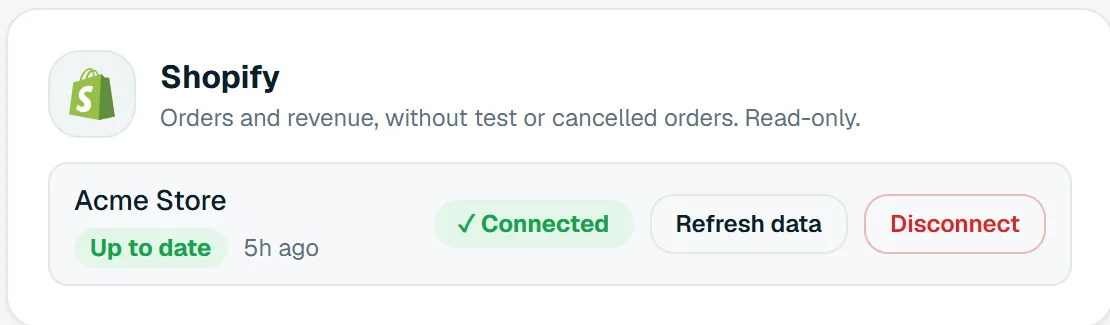
- Orders refresh every morning, and “Refresh data” fetches the latest whenever you like.
- Days follow your store's timezone, so they match Shopify's reports.
- Refunds and edits are reflected: a refunded order counts at its current total.
- Uninstalling stops syncing at once; Shopify's data-removal request deletes the numbers 48 hours later.
Questions
About the Shopify connection


Bring your brands into one dashboard
Moatrics is in early access for brands and agencies. Tell us how many brands you run and which platforms you use, and we'll set you up.